
CRM Automation Built Around How Your Team Actually Sells
HubSpot and GoHighLevel CRM implementation for cleaner data, stronger workflows, consistent follow-up, and a pipeline your team can trust.
When pipeline stages are inconsistent, follow-up depends on memory, and reporting does not reflect reality, the CRM stops functioning as a reliable business system. We clean up, structure, and automate your CRM so leads, contacts, owners, stages, tasks, workflows, and reports align with the way your company actually sells. Whether you need to set up a CRM, rebuild an existing platform, or improve CRM automation, we create a practical command center your sales team and leadership can use with confidence.
Start Here When Your CRM No Longer Reflects Reality
Most CRM problems are not caused by the platform itself. They come from weak structure, inconsistent use, disconnected workflows, unclear ownership, and unreliable data.
Your CRM exists, but the team does not trust it or use it consistently.
Pipeline stages do not match the company’s real sales process.
Sales representatives manage CRM follow-up through memory, inboxes, notes, or spreadsheets.
Leadership cannot clearly see lead flow, deal activity, conversion performance, or stalled opportunities.
Contact and deal records are duplicated, incomplete, or missing important source information.
Leads are not routed to the correct owner or team.
Tasks, reminders, and status updates are completed manually.
The company has outgrown the way its CRM was originally set up.
Your current CRM solution creates more administrative work than visibility.
You need a company CRM system that can support future growth.
Apply for CRM Automation and Implementation
Tell us about your CRM, sales process, data, users, and current workflow. We review every request to confirm fit before defining the CRM Command Center Build.
This is a CRM implementation application—CRM Command Center Builds start at $5,000+. We review every request before defining scope. If you are not sure whether the CRM is the real problem, start with a Business Systems Assessment instead.
A Business CRM System That Reflects How You Actually Sell
We design and implement business CRM systems around the company’s real sales motion—not around generic templates or unnecessary software features.
Your CRM is structured so the team can capture leads, manage contacts, track opportunities, complete follow-up, update deal stages, and understand what requires attention. The build may include a clean data model, accurately defined lifecycle stages, practical pipeline architecture, clear ownership rules, CRM workflow logic, automated tasks, routing, notifications, and the reporting foundation leadership needs.
We do not add disconnected tools simply to make the system look more advanced. We rebuild the operating foundation so the CRM becomes the central source of truth for your sales process.
What Proper CRM Automation Is Designed to Create
The CRM Command Center Build creates a company CRM system your team can operate consistently and leadership can trust.
By the end of the build, the system should provide a clearer structure for contacts, deals, pipeline stages, lead sources, follow-up ownership, sales activity, workflow logic, and reporting-ready data. The goal is not simply to configure HubSpot or GoHighLevel. The goal is to create a CRM operating layer that supports the way your business sells.
CRM Solutions Built Around the Way Your Team Works
Map It. Design It. Build It. Make It Stick.
A practical process for turning a messy or underused CRM into a business system your team can operate consistently.
What You Get From a Properly Built CRM
Clear ownership for every lead, contact, opportunity, and next action.
Pipeline stages that accurately reflect the sales process.
CRM follow-up that no longer depends entirely on memory.
Clean and consistent data the company can report on.
Reliable lead routing and task assignment.
Better visibility into pipeline health and sales activity.
A stronger reporting foundation.
Fewer duplicate records and disconnected spreadsheets.
CRM automation that supports the team without unnecessary complexity.
A business CRM system the company trusts and uses consistently.
What a Structured CRM System Looks Like
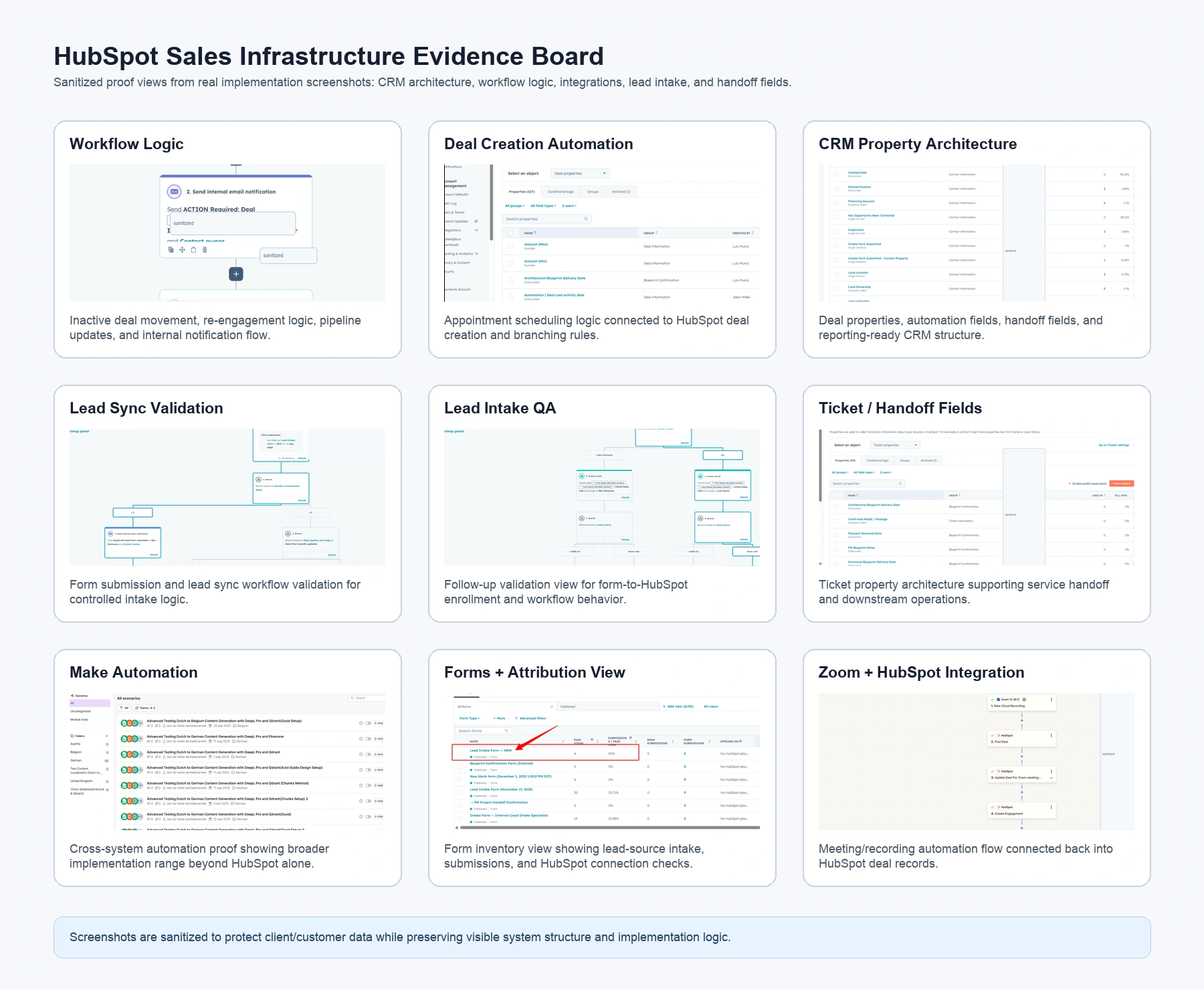
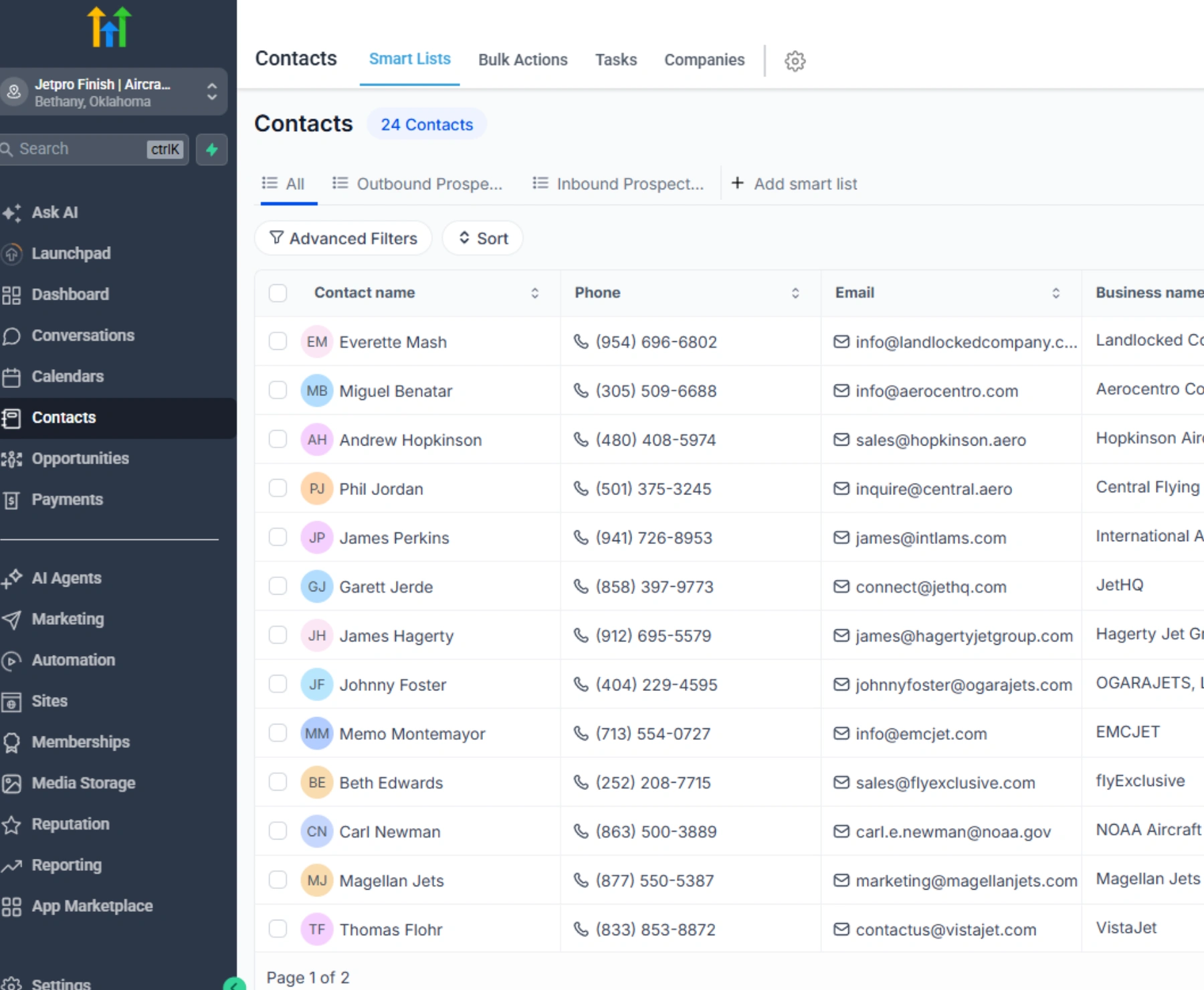
Representative examples of pipeline structure, lead-source tracking, CRM workflow automation, and organized data models.
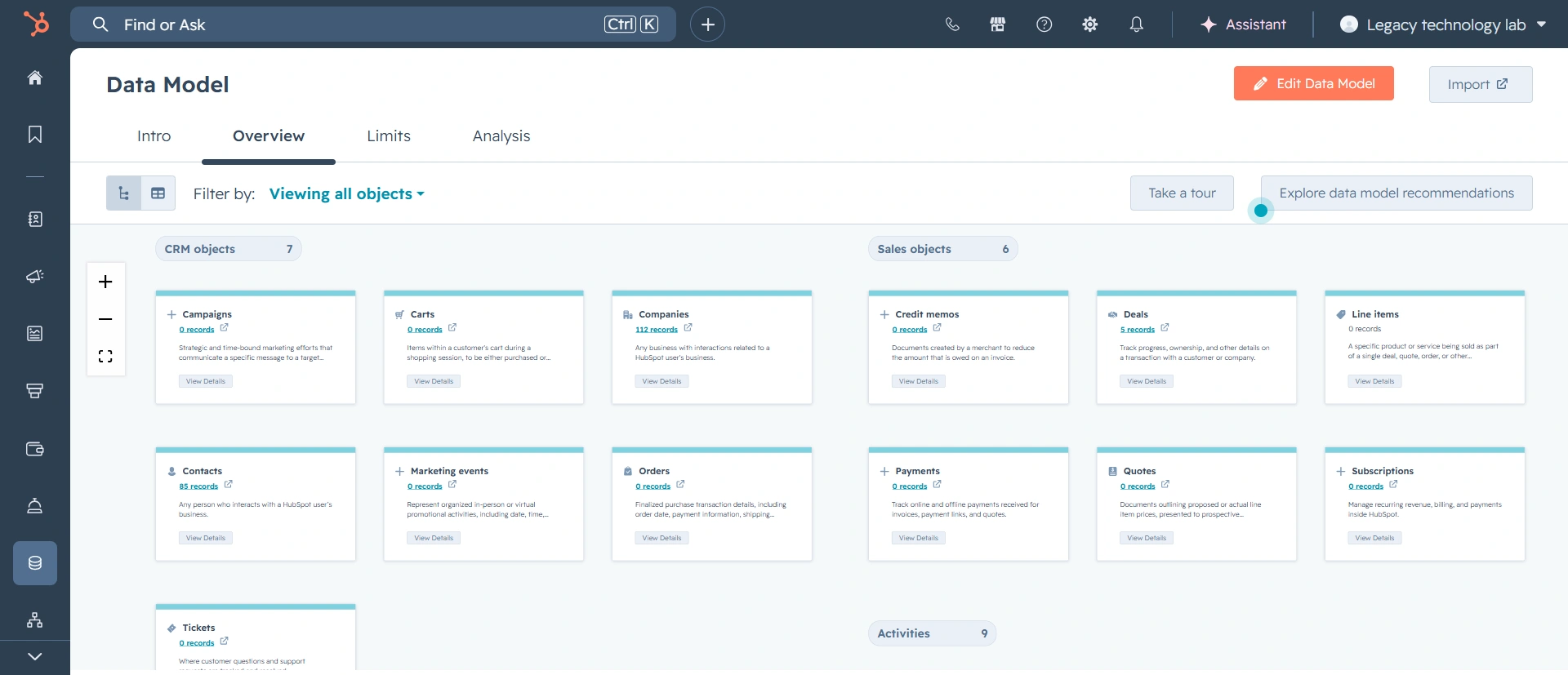
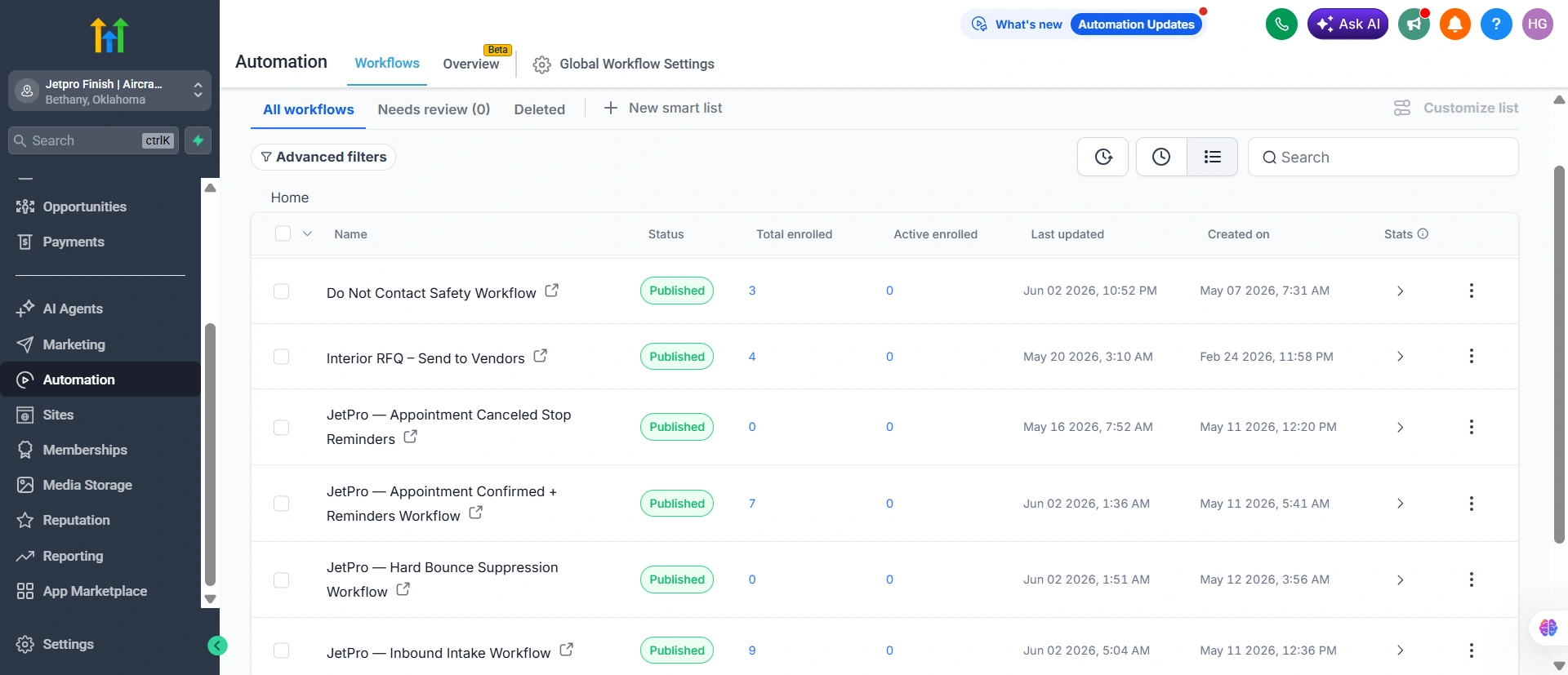
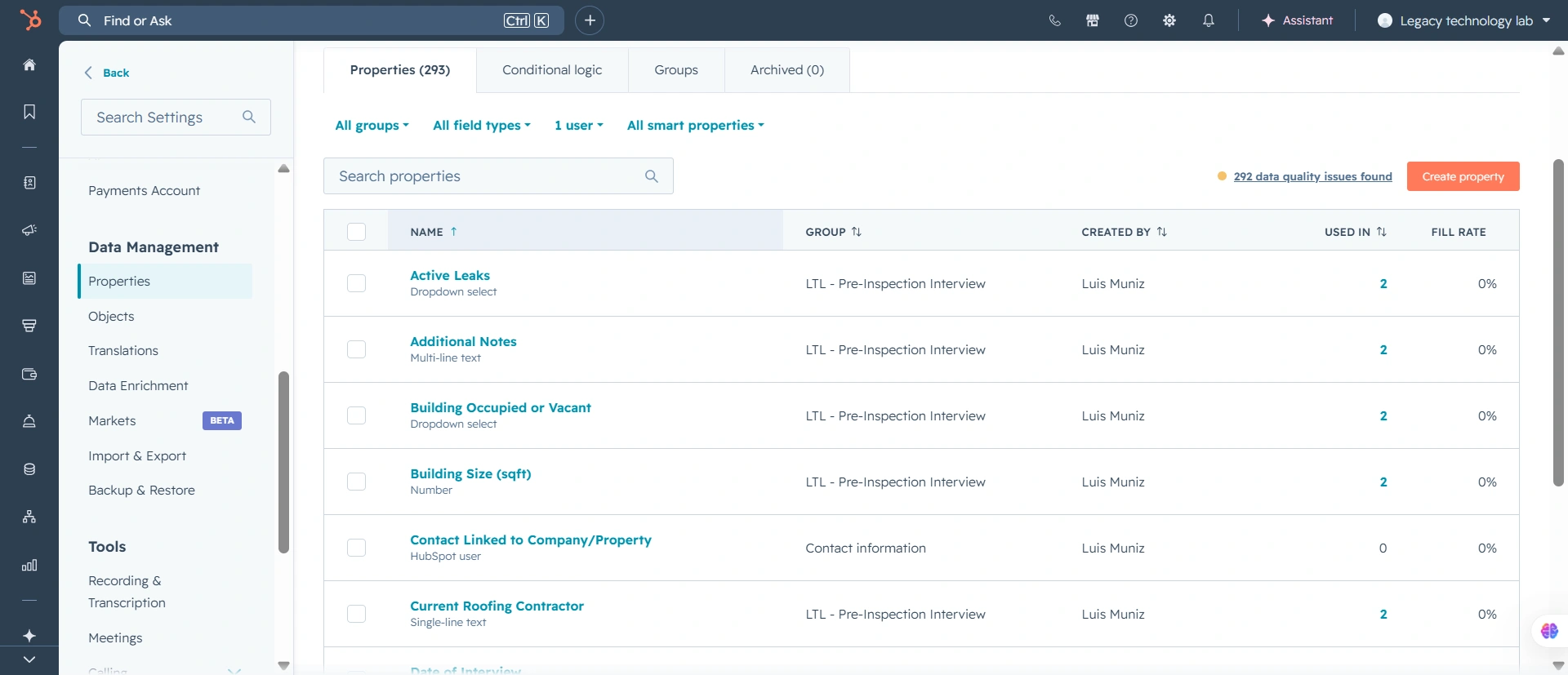
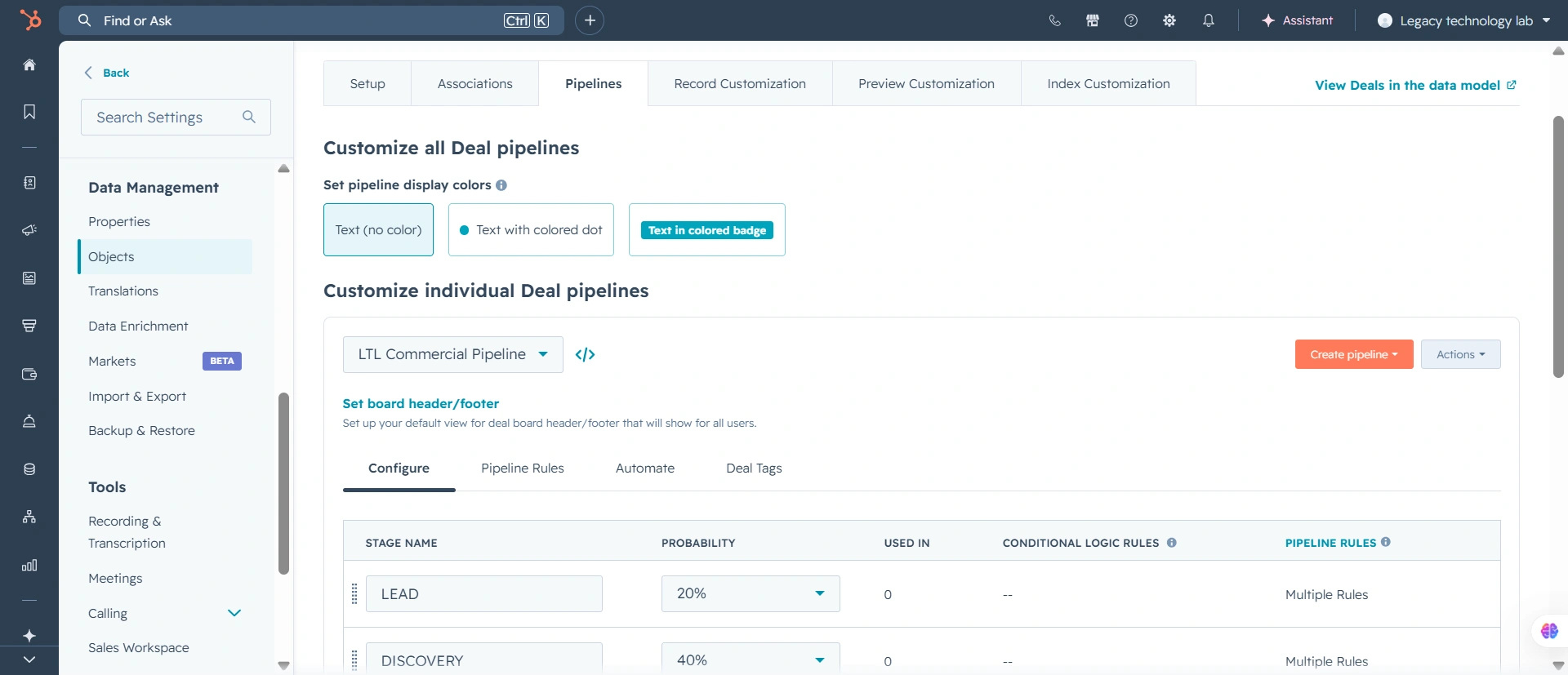
Examples shown represent the structures we build. Client screenshots are used only with permission and are blurred where necessary. No fabricated metrics or results are presented.
CRM Automation for Teams Outgrowing Their Current Setup
This build is designed for established companies whose CRM is messy, underused, disconnected, or no longer aligned with the way the sales team works. It is especially appropriate for sales teams that need consistent pipeline and follow-up processes, leadership teams that need clearer visibility, service businesses managing leads across multiple channels, companies migrating into HubSpot or GoHighLevel, and businesses replacing spreadsheets or manual lead tracking. When you know the CRM is the primary problem, begin with this build. When the source of the problem is unclear, start with a paid Business Systems Assessment.
Your CRM Should Connect With the Rest of the Business
A CRM should not operate as an isolated contact database.
Depending on the scope, the CRM Command Center can connect with your website, lead forms, email systems, calendars, phone systems, automation platforms, reporting dashboards, and operations workflows. These integrations help information move from lead capture to CRM follow-up, sales, onboarding, reporting, and delivery without repeated manual entry.
A Serious CRM Build for Teams That Need Reliable Sales Systems
The CRM Command Center Build is a focused CRM automation and implementation engagement for companies that need a cleaner, more reliable foundation for leads, sales, follow-up, reporting, and team accountability.
This is not a quick CRM task, a handful of software edits, or a low-cost setup project.
CRM Command Center Builds typically start at $5,000+ depending on the current state of the CRM, the complexity of the sales process, the number of users, the tools involved, the amount of cleanup required, and the workflow or reporting needs included in scope.
Larger CRM rebuilds, migrations, automation-heavy builds, multi-team implementations, or reporting-connected systems may require a higher investment.
Which path is right for you?
If you already know your CRM needs to be cleaned up, structured, automated, or rebuilt, apply for the CRM Command Center Build.
If you are not sure whether the CRM is the real issue, start with a paid Business Systems Assessment.
What May Be Scoped Separately
Some needs connect directly to CRM automation but require a separate system build or follow-up phase. This keeps the core CRM implementation focused while providing a clear path for expansion.
Full executive dashboard builds
Website or funnel rebuilds
Advanced AI workflow or agent builds
Sales asset creation
Complex operations workflow automation
Ongoing campaign management
Multi-department reporting systems
The CRM build establishes the sales-system foundation. Connected website, reporting, AI, sales-asset, and operations projects can then be scoped without weakening the core implementation.
This Is Probably Not the Right Fit If…
We would rather be direct. This CRM automation and implementation service likely is not the right fit when any of the following are true:
You only need a few small CRM edits.
You're looking for the cheapest possible CRM setup.
You don't want to define how your sales process should work.
Your team isn't willing to use the CRM consistently.
You want automation added before the core CRM structure is cleaned up.
You're not ready to invest seriously in better sales visibility and follow-up.
CRM Automation
Questions
CRM automation uses workflows and rules to complete repeatable CRM activities such as lead routing, task creation, follow-up reminders, record updates, internal notifications, ownership changes, and pipeline-stage actions. The goal is to reduce unnecessary manual work while preserving clear human accountability.
Yes. We can set up a CRM in HubSpot or GoHighLevel, including pipeline architecture, lifecycle stages, properties, ownership rules, workflows, lead routing, reporting foundations, and documentation. The exact scope depends on your sales process, users, current tools, data, and implementation requirements.
Usually, yes. Many builds begin by cleaning up and restructuring the existing platform. We assess what should be retained, reorganized, automated, rebuilt, migrated, or removed before recommending a replacement.
Yes. We implement CRM systems and workflow automation in HubSpot and GoHighLevel. The better platform depends on the company’s sales process, team, reporting requirements, integrations, and existing technology stack.
Possible workflows include lead routing, follow-up reminders, sales tasks, ownership updates, lifecycle changes, internal notifications, pipeline-stage actions, appointment processes, data updates, and post-sale handoffs. Automations are selected according to the real process rather than enabled simply because the software offers them.
Buying CRM software gives your company access to a platform. CRM implementation turns that platform into a usable business system by defining the data, pipeline, workflows, ownership rules, automations, reports, documentation, and procedures the team needs.
Yes, when migration is included in scope. Before importing data, we review field mapping, duplicate risks, record quality, required properties, source information, and validation requirements.
CRM automation and proper CRM architecture create the clean data foundation accurate reporting requires. Advanced dashboards, executive reporting, and multi-source reporting may be completed through the Dashboards & Reporting System.
The timeline depends on the number of pipelines, users, records, automations, integrations, migration requirements, and the condition of the current data. Scope, deliverables, and the implementation sequence are defined before the build begins.
Not when you already know the CRM is the primary problem. Begin with the assessment when CRM issues may be symptoms of a broader problem involving lead capture, operations, reporting, tools, or internal workflows.
Build a CRM Your Team Can Trust
When your CRM no longer reflects how the company sells, every report, follow-up process, and management decision becomes harder. We clean up, structure, and automate your CRM so leads, owners, stages, workflows, and reporting work together as one reliable sales system. When you know the CRM is the problem, start the build. When the source is unclear, begin with a paid Business Systems Assessment.