
Operations Workflow System
Operations workflow automation for onboarding, handoffs, assignments, approvals, delivery, and recurring internal work.
Your operations should not depend on the right employee remembering every step, sending every reminder, and manually moving work between disconnected tools. We build an Operations Workflow System that turns recurring business processes into clear, connected, and accountable workflows for onboarding, sales-to-operations handoffs, task routing, approvals, service delivery, status updates, documentation, and internal communication. The result is a structured operations workflow that helps work move forward without requiring your most capable employees to keep the entire process alive manually.
Start Here When Important Work Depends on Memory and Manual Follow-Up
Operational problems rarely appear as one clearly broken system. They appear as delays, repeated questions, skipped steps, unclear ownership, missed handoffs, inconsistent delivery, and employees spending too much time coordinating work.
Client onboarding changes depending on who manages it.
Sales closes an opportunity, but delivery does not receive complete information.
Employees repeatedly ask who owns the next step.
Tasks are assigned through chat, email, or verbal instructions.
Approvals stall because no one knows who needs to review them.
Important steps are skipped when the usual employee is unavailable.
Status updates require meetings or manual follow-up.
Leadership cannot see where work is waiting.
Customer information must be copied between several systems.
Teams use different versions of the same process.
Employees recreate recurring tasks instead of using a standardized workflow.
Delivery problems are discovered after deadlines have already been missed.
Notifications are either missing or sent to too many people.
Exceptions do not have a clear escalation path.
SOPs exist, but they are disconnected from the tools where work happens.
The company is adding people because the current process cannot handle more volume.
The business has outgrown informal processes and workarounds.
Apply for the Operations Workflow System
Tell us where onboarding, internal handoffs, task assignment, approvals, delivery, recurring work, or status visibility is slowing the company down. We review how work enters the process, which teams are involved, where information lives, what decisions are required, and where the workflow commonly stops or breaks.
This is a build application — Operations Workflow System builds start at $7,500+. When operational friction is clearly the problem, apply for the build. When the bottleneck may involve the CRM, lead follow-up, reporting, website, or another connected system, start with an assessment instead.
A Connected Operations Workflow Built Around How Your Company Actually Works
We begin by mapping the real process—not the process people assume is being followed. We document how work begins, what information is required, which people and systems are involved, where decisions occur, what must be approved, and how completed work should move forward.
We then design an operations workflow that gives each stage a clear owner, required information, due date, status, next action, and escalation path.
Depending on the project, the completed system may connect your CRM, project-management platform, forms, documents, email, communication tools, reporting systems, and automation platforms.
The purpose is not to add unnecessary software. It is to build a reliable operating structure inside the tools your team can realistically use and maintain.
Operations Workflow Automation Built for Reliable Execution
Process and Workflow Mapping
We document starting events, required information, stages, roles, decisions, approvals, tools, documents, handoffs, completion requirements, exceptions, and escalations.
Client Onboarding Automation
Create a consistent onboarding flow for intake, agreements, payments, records, welcome communication, document requests, project creation, assignments, scheduling, and kickoff tasks.
Sales-to-Operations Handoffs
Require complete customer information, scope, commitments, documents, deadlines, ownership, and implementation details before delivery begins.
Task Routing and Assignment
Create and route tasks according to service type, team, department, location, stage, priority, customer type, or another approved business rule.
Approval Workflows
Add management, client, financial, quality-control, legal, or technical approval stages before work can move forward.
Service-Delivery Workflows
Standardize task templates, milestones, dependencies, deadlines, required files, reviews, customer communication, and completion requirements.
Status Visibility
Give teams clear views of stage, owner, due date, waiting status, missing information, approvals, delayed work, completed steps, next actions, and exceptions.
Notifications, Reminders, and Escalations
Notify the right person when work is assigned, updated, delayed, approved, rejected, completed, or waiting for attention.
Process and SOP Documentation
Document the workflow, responsibilities, business rules, exception handling, and maintenance requirements so procedures connect with actual execution.
Quality-Control Checkpoints
Require reviews, checklists, evidence, and approvals before work advances or reaches the customer.
System Connections
Connect approved CRM, project-management, communication, document, form, scheduling, accounting, and reporting tools.
Documentation and Team Handoff
Explain how the workflow starts, what each stage means, who owns each action, which steps are automated, and how exceptions are handled.
Map the Process. Build the Workflow. Connect the Tools.
Identify the Bottleneck
We identify where work slows down, information is lost, and which recurring process creates the greatest operational cost.
Map the Current Process
We document how work is actually completed today, including workarounds, informal steps, manual follow-up, and exceptions.
Define the Required Process
We determine what should happen, in which order, who should own it, what information is required, and where decisions or approvals belong.
Select the System Structure
We determine which existing platforms should remain, what should be configured differently, and which connections are required.
Build the Workflow
We configure stages, tasks, fields, templates, forms, assignments, due dates, dependencies, notifications, approvals, and business rules.
Connect the Tools
We connect the approved CRM, project-management, communication, document, form, and reporting tools.
Add Automation
We automate repeatable routing, record creation, notifications, reminders, assignments, document actions, and status updates where appropriate.
Test Real Scenarios
We test normal work, missing information, delays, rejected approvals, unusual requests, duplicate records, reassignment, and likely exceptions.
Document and Train
We document the operating process and show the appropriate team members how to use and maintain it.
Launch and Improve
After launch, the workflow can be refined as the team identifies new exceptions, changing requirements, or opportunities for improvement.
What the Operations Workflow System Is Designed to Create
A documented end-to-end operations workflow.
Consistent client or customer onboarding.
Reliable sales-to-operations handoffs.
Clear task ownership at every stage.
Automated task creation, routing, and assignment.
Required approval checkpoints.
Defined due dates and service expectations.
Visible workflow status and next actions.
Automatic notifications and reminders.
Escalation paths for delayed or unusual work.
Connected operational documents and records.
Repeatable quality-control steps.
Role-based operational visibility.
SOPs connected with actual workflow execution.
Historical records showing what happened and when.
Less dependence on employee memory and manual coordination.
More capacity to handle growth without losing control.
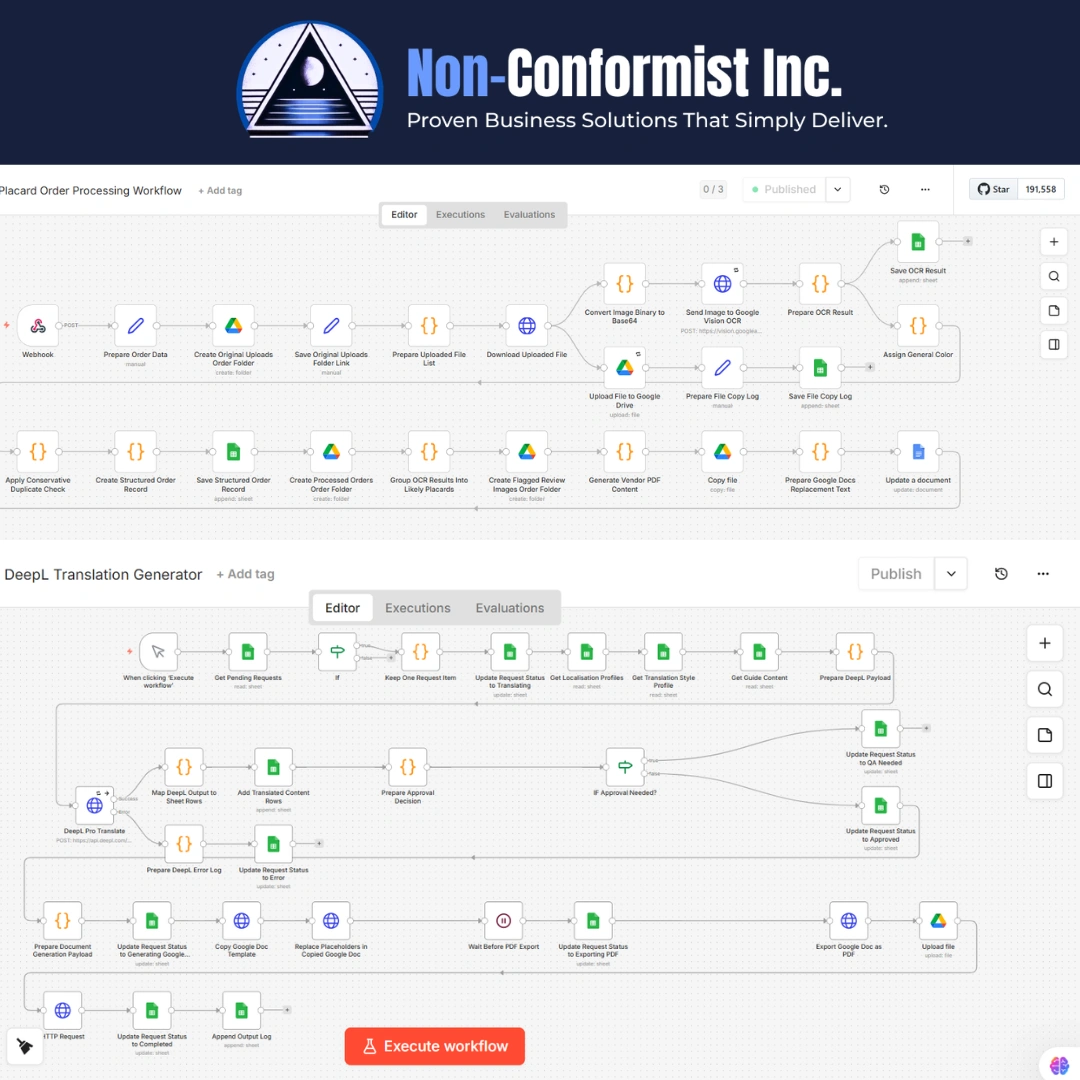
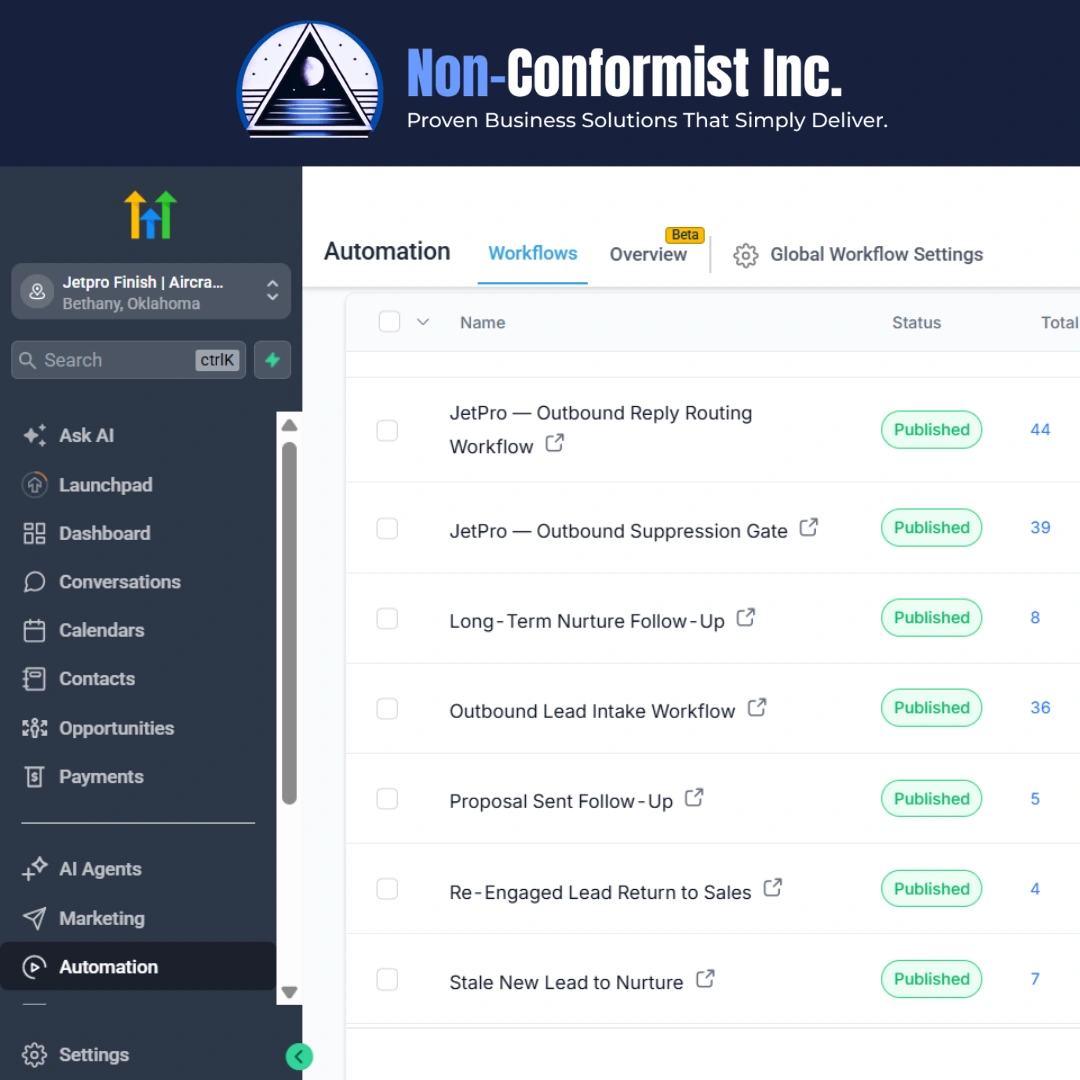
What Operations Workflow Systems Look Like in Practice
Representative examples show how information, ownership, tasks, approvals, and status move through a connected operations workflow.


Examples shown represent the types of workflow maps, onboarding systems, status views, and approval processes that may be included in an approved build.
Built for Companies That Have Outgrown Informal Operations
The Operations Workflow System is designed for established service businesses and operations-heavy companies whose delivery and internal coordination have become too complex to manage through inboxes, chat messages, spreadsheets, and employee memory. It is especially useful for teams with recurring onboarding, cross-department handoffs, approval processes, inconsistent delivery, or limited operational visibility.
Built Into the Systems Your Team Can Realistically Use
We evaluate the tools already in use, the complexity of the process, the team's ability to maintain the system, required integrations, permissions, reporting needs, and long-term operating cost. Where the current tools can support the workflow, we configure and connect them. Where an existing tool creates meaningful friction, we explain what should change and why. The objective is not more software—it is a dependable operating system for recurring work.
A Serious Workflow Build for Companies Ready to Improve Operations
The Operations Workflow System is a focused implementation for companies whose onboarding, handoffs, task routing, approvals, delivery, and internal workflows need to operate more reliably.
This is not a basic project-management setup, a template installation, or a single SOP-writing assignment.
Builds typically start at $7,500+. The final investment depends on the number of workflows and departments, process complexity, user roles, existing system condition, CRM and project-management connections, automation and approval requirements, forms, documents, reporting, data migration, SOP requirements, testing, exception handling, training, and documentation.
Multi-department workflows, complicated approval rules, extensive integrations, large SOP libraries, or custom reporting may require a larger scope.
Which path is right for you?
If you already know operations is where the friction lives — apply for the build. If you're not sure whether operations is the real bottleneck — start with a paid assessment.
Operations Workflows Must Connect With the Rest of the Business
Operations begin before delivery and continue after an individual task is completed. A reliable workflow may need information from sales, the CRM, website forms, contracts, payments, customer communication, project-management tools, reporting systems, or AI-supported processes. Connecting these systems helps operations begin with complete information and returns updates to the people and platforms that need them.
CRM records and pipeline structure CRM Command Center Build →
Lead response and opportunity follow-up Lead Capture & Follow-Up System →
Website forms and intake processes Website-to-Revenue System →
AI-supported operational tasks AI Workflow & Agent Build →
Operational dashboards and reporting Dashboards & Reporting System →
Sales proposals and buyer materials Authority & Sales Asset System →
Identify the correct system to build first Business Systems Assessment →
The approved build connects only the systems required for the operational process and agreed project scope.
What May Require a Separate System Build
Some needs connect with operations but require their own implementation scope. Separating them keeps the Operations Workflow System focused on internal execution, handoffs, accountability, and delivery.
Full CRM rebuilds or migrations CRM Command Center Build →
Lead capture and nurturing systems Lead Capture & Follow-Up System →
Website or funnel rebuilds Website-to-Revenue System →
Executive dashboards and advanced reporting Dashboards & Reporting System →
AI workflow and agent development AI Workflow & Agent Build →
Sales-asset creation Authority & Sales Asset System →
Large data migrations
Custom software development
Enterprise resource-planning implementation
Advanced financial systems
Human-resources compliance programs
Legal document drafting
Ongoing campaign management
Full organizational restructuring
Dedicated managed operations staffing
This keeps the operations build focused while preserving a clear path to expand later.
This Is Probably Not the Right Fit If…
We'd rather be upfront. This likely isn't for you if any of these are true:
- You only need one SOP written.
- You only need a basic ClickUp or project-management template.
- Your current informal process works reliably and does not limit the team.
- You do not have recurring work that can be standardized.
- You are unwilling to map the real process.
- You want automation before deciding how the process should work.
- You are unwilling to assign clear ownership.
- You do not want employees to use a shared operational system.
- You expect software to fix unclear management responsibilities.
- You cannot provide access to the required tools or process owners.
- You want every exception automated regardless of risk or complexity.
- You are unwilling to maintain the system after implementation.
- You are not ready to invest seriously in operational infrastructure.
Operations Workflow Questions
What is operations workflow automation?
What is an Operations Workflow System?
How is this different from project-management software?
Which processes can be automated?
Can you build client onboarding automation?
Can you connect sales with operations?
Do we need to document our processes first?
Can you create SOPs?
Which platforms do you work with?
Do we have to replace our current tools?
What is the difference between this and the AI Workflow & Agent Build?
Can the system include human approval?
Can leadership see where work is delayed?
Will the workflow handle unusual situations?
Do you provide training and documentation?
How much does the Operations Workflow System cost?
Do we need a Business Systems Assessment first?
Build the Operations Workflow Your Company Has Outgrown Working Without
Your team should not have to keep recurring work moving through memory, manual reminders, and disconnected tools. We build Operations Workflow Systems that connect onboarding, handoffs, assignments, approvals, delivery, status visibility, documentation, and internal workflow automation. When operational friction is clearly the problem, apply for the build. When the underlying bottleneck is uncertain, begin with a paid Business Systems Assessment.